Kayıtlar

2011 tarihine ait yayınlar gösteriliyor

Pi

Resim

•~

Resim

•~

Resim

•~

Resim

•~

Resim

Turn Inside Out

Resim

•~

Resim

Anarchy

BAZILARI

Resim
... .

Colors

Resim

windows

animation web@rt

Computational Creations

Resim

•~

Resim

KOZA

BW

Resim
ARTWORK : BARAN GULESEN

•~

Resim
ARTWORK : BARAN GULESEN

sonic

sonic

•~

Resim
"For Now" Director & Sound Design & Animation Programmer : BARAN GULESEN ∴ We don't know about two things ∴∴ When did it start ? ∴∴∴∴ When will it end ? Just for now...

•~

Resim
for more visit 

INTERNAL capture any sound (WEB,VIDEO) with UBUNTU

Resim
Easiest way is... 1. STARTING SOURCE (internal video or music from any web server) 2. APPLICATIONS / SoundRecorder 3. RECORD  (you can choose file format ogg or wav) if your setting is not ready or there is no any sound your recorded file, Use this sound preferences setting... Also you can see which application is active on APPLICTION window.

People Sometimes (WAR)

Resim

PUREDATA & WII CONTROLLER

Resim
How to use Wii Controller with PUREDATA software ? For using wii controller with PD on Windows machine, you must have Bluesoleil (for bluetooth comminication) and GloviePie software.  Here is the step by step how to use wii on windows machine. * WHAT WE NEED, TO USE WII CONTROLLER on PUREDATA First of all,  PUREDATA  & Install your System (Free Software) Second,  BlueSoleil   Software (BlueSoleil Program is limited data transfer, if you use unlimited  version you must buy the software) Lastly,  GlovePIE  (This is a free software only unzip and use it no need to install) Additionally, GlovePIE Code (free by barangulesen) PureData Patch (free by barangulesen) If you have all of these there are only three steps to use wii controller on PD. Lets start to setup. 1 . Start BlueSoleil Software (Display Classic View), Right click the joystick and connect bluetooth, (If your wii connected with bluetooth, joystic...

INSTALL OPERATION SYSTEM FROM USB FLASH (Linux,Windows)

Resim
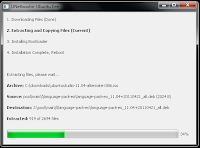
1.  Download The Program 2. Choose Your ISO from hardisk what anywhere, 3. Click OK. 4. Program copied ISO file to USB Flash like the below. 5. Be patient, take a cup of coffee, the  program  installing bootloader. 6. After rebooting, select the USB boot option in the BIOS boot menu.. 7. UNETBOOT starting, select the number one that is default. Push the ENTER and go on ->  Enjoy the new Operation system installing from USB FLASH

Install PureData Extended on Linux (Ubuntu 11.04 - the Natty Narwhal)

Resim
How to Install Pd-extended 0.42.5 on Linux (Ubuntu 11.04 - the Natty Narwhal) ? 1 . Download PD Extended 2.  When Download is finish double Click the file which is name Pd-0.42.5-extended-ubuntu-natty-i386.deb 3.  If Ubuntu say to you "This is not trusted and The package is of bad quality" Ignore and Go On. 4. Follow on Progress window how much time is past installation. 5. When finish the installation, Go to Applications / Sound&Video/ 6. Click Puredata Extended Enjoy the PureData on Linux (Ubuntu 11.04 - the Natty Narwhal) Kaydı Yayınla

Install Processing / Linux (UBUNTU)

Resim
How to use processing on UBUNTU  11.04 - the  Natty Narwhal 1.  Download Processing for Linux  2. Go to Home Folder/Download 3. Right Click Open with Archive Maneger Processing-1.5.1.tar.gz 4. Open Terminal  5. Wirte "cd download" 6. Write "cd processing-1.5.1 7. Write "./processing Enjoy the Processing On LINUX Ubuntu 

Install Linux Ubuntu On Windows 7

Resim
How to Install Dual Boot Linux Ubuntu Windows 7 ? 1.  Download _ UBUNTU  2. Mount with any Virtual CD (for ex. Magic Iso) 3. Install ubuntu for Windows 7 4.Choose Password 5. Click Install Ubuntu 6. Restart System When you open your computer, Boot screen ask to you Which operation system will start to work ? windows 7 or Ubuntu ? Choose whatever you want ! Check out Ubuntu Web Page for instruction Enjoy your dual boot !

Code ART

Resim
WEB PAGE   http://barangulesen.com

•~

Resim